
Accelerated Reader™
At RGS your child will be participating in the Accelerated Reader (AR™) program.
This guide is designed to answer your questions about AR.
If you have additional questions, please feel free to contact your child’s teacher or visit the Accelerated Reader website at www.renlearn.co.uk.
What is Accelerated Reader (AR)?
AR is a computer program that helps teachers manage and monitor children’s independent reading practice. Your child picks a book at his/her own level and reads it at his/her own pace. When finished, your child takes a short quiz on the computer - passing the quiz is an indication that your child has understood what has been read. AR gives both children and teachers feedback based on the quiz results which the teacher then uses to help the child set targets and ongoing reading practice.
Quizzing through Accelerated Reader is really easy. You need to:
1. Borrow a book from the Library and read.
2.Log on to the school’s Accelerated Reader website: https://tinyurl.com/5xx4ubf2. If you can’t remember your logon details, ask your Teachers.
3.Complete a quiz on the book you have just read
4. Record a review and you quiz score in your reading record
How can I help my child become a better reader?
As with anything, performance improves with practice. Encourage your child to read at home. Create a culture of reading in your household by reading with your child, starting a home library, visiting your local library or bookshop on a regular basis and by letting your child see you reading.
How does the school determine my child’s reading level?
Teachers determine your child’s reading level in one of three ways: a STAR Reading™ test, a reading age estimation from a standardised test, or by using his/her best professional judgment based on his/her knowledge of your child.
What is a STAR Reading test?
STAR Reading is a computer based reading assessment program that uses computer-adaptive technology. Questions continually adjust to your child’s responses. If the child’s response is correct, the difficulty level is increased. If the child cannot answer a question or answers incorrectly, the difficulty level is reduced. The test uses multiple-choice questions and takes approximately 10 minutes.
What is a Book Level?
Book Level (BL) shows how hard a book is to read. It’s based on the average sentence length and word difficulty. The number looks like a school grade level, eg:
BL 2.5 → The book is written at the level of a second grader in the fifth month of school.
BL 5.0 → Suitable for someone reading at the level of a fifth grader at the start of the school year.
BL 8.3 → About the level of an eighth grader in the third month.
What kinds of quizzes are there?
Accelerated Reader includes several types of quizzes designed to support the development of several reading skills.
Quiz types include:
Reading Practice Quizzes: Are the most common type of assessment in AR. The purpose of these quizzes is to determine whether your child has read a book, to measure his/her literal comprehension of the book and to provide immediate feedback
Vocabulary Practice Quizzes: Measure a child’s command of vocabulary words in context while reading specific books.
Literacy Skills Quizzes: Are designed to give your child’s teacher information on specific reading skills.
How will I know if a book has an AR quiz? And How can I help my child find books that are interesting to him?
You can also visit the AR Book Find at www.arbookfind.co.uk to conduct a search of all available books with AR quizzes.
Visit www.arbookfind.co.uk and click select Parent if you are prompted.
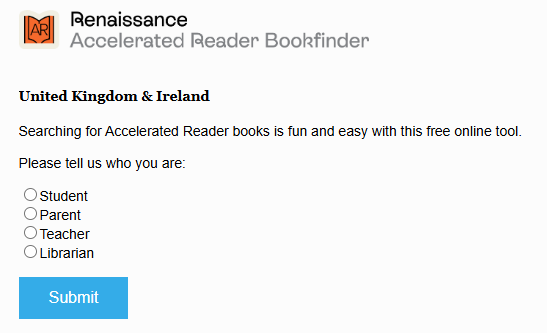
You will then see this.
You can do a Quick Search or an Advanced Search. By conducting an advanced search, you will be able to generate book lists that contain titles based on the criteria you enter, such as Book Level, Topic, Interest Level and Fiction/Non-fiction, etc.
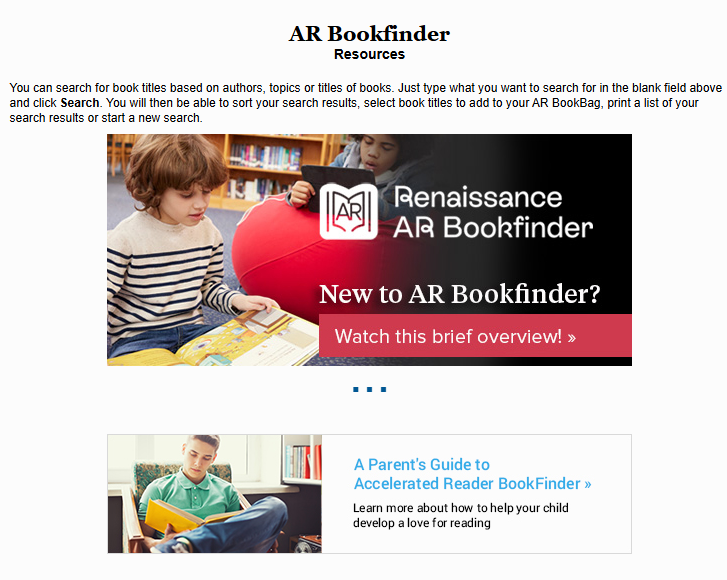
AR Book find Resources
You are also able to access support materials for Accelerated Reader on www.arbookfind.co.uk.
There is a brief overview video on Accelerated Reader and a pdf document on Parents’ guide to Accelerated Reader.
How will I know how my child is doing? A TOPS Report prints automatically after a child takes a quiz to give feedback on your child’s understanding of the book and shows cumulative data for the marking period and school year. The TOPS Report can be viewed by yourself and your child on the website once the quiz is done.
What is Accelerated Reader Home Connect?
You can access your child’s AR information in Renaissance Place Home Connect from any web-enabled computer, so long as you have first gained access to the program from the school. Students with web access at home can log in to view goals and the results of their last quiz.
Each child will receive an email with their login details and link to Home Connect.
A downloadable version of the above information can be found below.